Photoshop your ride

ChrisBrand

Staff - Legal
Staff member
I thought this might be a good idea for people to see how their cars will look before they go and spend all their hard earned money.

I know there are very talented guys on the site that can do a lot with photoshop so this thread is for people to post their rides with a kind request to see how something will look and then anyone can photoshop it for them so they can see.

Just a very quick example.

Before
IMG_1341-1.jpg


After
drop.jpg
 

Twinz

Forum - Support
Staff member
Cool idea.:thumbs:

Chris your photoshop example is very subtle, but I get the idea. :thumbs:
 

v1p3r

Well-known member
Great idea. Have seen it on other forums and think it would be cool on ours too. I am good with lots of PC stuff but not da photoshopz.

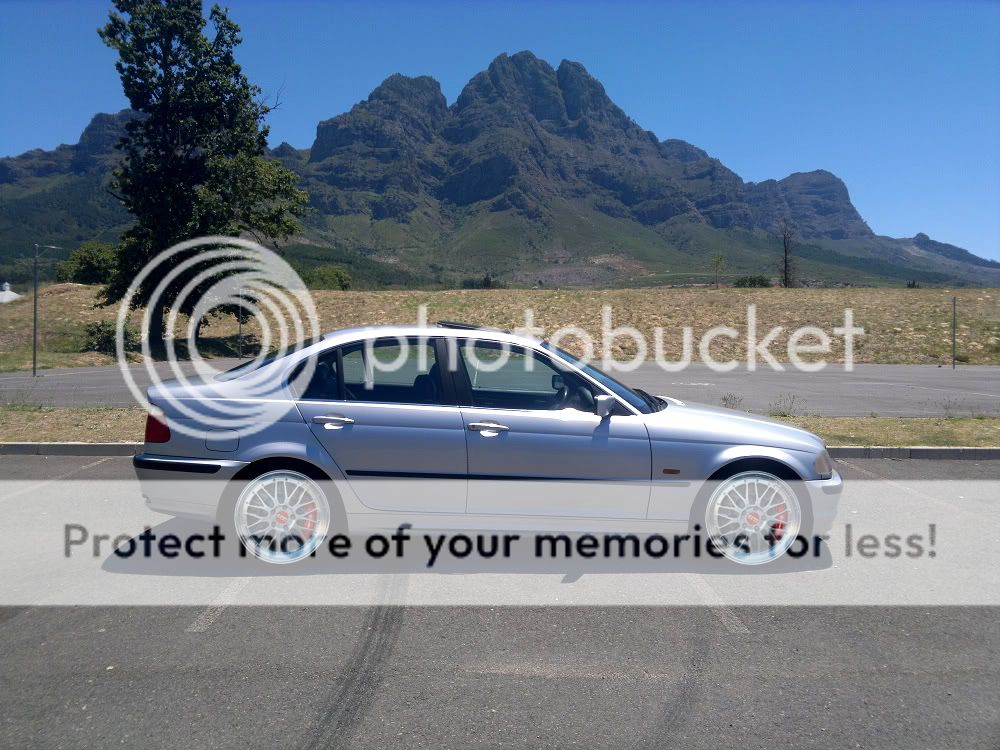
I have a request, if someone cares to help? This pic, but with clear indicators front, side & rear, the thin bootlid spoiler and each of BBS LM's (about 18") & CSL reps (also 18")

070120121452.jpg


I'd be very grateful, thanks
 

CamZo

///Member
This is an awesome thread but I have nooooooo photoshop skills whats so ever I use normal paint!!!

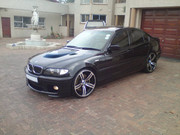
did this a long time ago.... those who remember my car with the M6 rims and the M badge on the grill lol :biglol: what was I thinking!!! atleast being on this forum thought me the do's and dont's


I did the bonnet, rims and fog light surrounds.
 

v1p3r

Well-known member
lmao Mo thanks

I tried using MS Paint :biglol:

csl.jpg


bbs-lm.jpg


Think the BBS looks better...opinions?
 

Wick-ed

Member
Chris, you seem to be good at photoshop. I have them downloaded, but haven't had the time to fiddle with it. I would later acquire your expertise if you don't mind?:thumbs:
 

ChrisBrand

Staff - Legal
Staff member
Thanks Wick-ed. Actually Mo is the expert here. I only started using PS in Dec last year. Its really easy. Best way to learn is just decide what you are looking for and go search on YouTube or check some PS tutorials. I will gladly post some links here of my favourite!

greycar.jpg


Sorry Mo. Just whitened the side indicator and thought he needed to drop the car a bit

Top 5 effects in photoshop

How to change you cars colour

How to lower your car

How to change rims

Other cool vids:
How to apply a tattoo

How to loose weight fast and easy
http://www.youtube.com/watch?v=wbCCN0xtD7o


Philip Foglar

///Member
My most recent test edit which actually also materialised...

Before:
Test01.jpg


After:
Test02.jpg


Actual:
DSCN7615.jpg

DSCN7614.jpg


Key is to closely match the angle of the car photo with the angle of the wheel pic used, then also to match the colour temperature and contrast/levels etc. The example above was a quick edit, literally just scaled and placed, then adjusted the levels for more contrast to match the photo a bit better - photo of the wheels was very soft and taken in dark overcast conditions.
 

Sankekur

///Member
kabal said:
GIMP

free and as powerful as photoshop for someone who doesnt use photoshop :)

+1000

Though some things it does is just not as good as it is in photoshop, but still in terms of performance to price ratio it is still an infinite times better than photoshop :rollsmile:
 
Top