JB4 BMS usb cable hacked.

jpc647

New member
I'm sorry, I'm dumb.

I would be using this for a stage 1, so I don't have an app. Just looking to adjust the boost level from what it's currently at.
 

rasonline

New member
Resurrecting this thread from the dead... On the DB9 side, do you simply connect the wires to the pins? That's it.. nothing else?
No chip required in between or anything like that?

The simple TTL cables are more difficult to get hold of in 2022. Most RS232 cables don't have the orange or yellow wire, and they use chips which boost voltage >5V. Struggling to get the correct cable quickly - have to special order it from Amazon USA.

This is a picture of a new RS232 cable - I cut it off thinking I can simply use the wires I need on a new DB9 clamshell, but look it doesn't have yellow or orange.
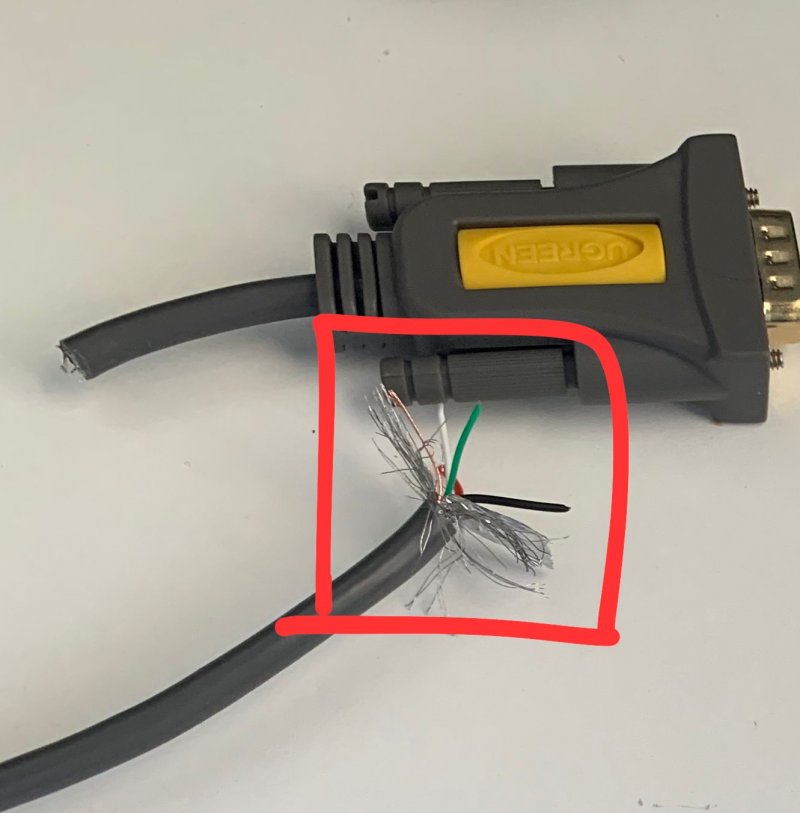
WhatsApp Image 2022-05-13 at 9.45.49 AM (1).jpeg
 

rasonline

New member
Hoping somebody knowledgeable will chip in on this thread soon!

So I bought a 5V TLL UART cable with the correctly colored wires. Wired them up as in the instructions on post #1.

But can't connect to JB4 user interface :-(
JB4 recognizes the cable (it shows in the COM port drop-down list)

after selecting the COM part, I try connecting but receive an error message - Failed or COM port busy :-(

So either my cable is not working, or the 2580 chip is blown on the board (I just saw Mike@BMS mentioned this to another user on a US board)
 
Top